One of the (many) powerful features of XAF is the ability to extend. I recently had a client wanting to provide a simple dialog to let the user choose a folder. There is a file selection function already built into XAF, but since we only wanted a folder it would not suffice.
To achieve what was needed I had to create a CustomPropertyEditor and hook into the FolderBrowserDialog available in the System.Windows.Forms library.
Simply create a new class in your Windows module (if you have an existing folder for Editors, it’s a good place to store it), you can paste the code from below (just remember to update the namespace  )
)
using System;
using System.Collections.Generic;
using DevExpress.ExpressApp.Win.Editors;
using DevExpress.ExpressApp.Model;
using DevExpress.ExpressApp.Editors;
using System.Windows.Forms;
using DevExpress.XtraEditors;

namespace MM.Module.Win.Editors
{
    [PropertyEditor(typeof(string),false)]
    public class FolderBrowseEditor : WinPropertyEditor
    {
        public FolderBrowseEditor(Type objectType, IModelMemberViewItem model)
            : base(objectType, model)
        {
            var propertyType = model.ModelMember.Type;
            var validTypes = new List<Type>{
                typeof(string)
            };
            if (!validTypes.Contains(propertyType))
                throw new Exception("Can't use FolderBrowseEditor with property type " + propertyType.FullName);
            this.ControlBindingProperty = "Value";
        }

         ButtonEdit txtFolderPath;

         private void txtFolderPath_ButtonClick(object sender, DevExpress.XtraEditors.Controls.ButtonPressedEventArgs e)
         {
             FolderBrowserDialog dialog = new FolderBrowserDialog();
             dialog.Description = "Select folder...";
             if (dialog.ShowDialog() != DialogResult.Cancel){
                 txtFolderPath.Text = dialog.SelectedPath;
             }
         }


         private void txtFolderPath_EditValueChanged(object sender, EventArgs e)
         {
                 PropertyValue = txtFolderPath.Text;
                 OnControlValueChanged();
         }

         protected override object CreateControlCore()
         {
             txtFolderPath = new ButtonEdit();
             txtFolderPath.ButtonClick += txtFolderPath_ButtonClick;
             txtFolderPath.EditValueChanged += txtFolderPath_EditValueChanged;
             return txtFolderPath;
         }

        protected override void ReadValueCore()
        {
            txtFolderPath.Text = Convert.ToString(PropertyValue);
        }

        protected override void Dispose(bool disposing)
        {
            if (txtFolderPath != null)
            {
                txtFolderPath.ButtonClick -= txtFolderPath_ButtonClick;
                txtFolderPath.EditValueChanged -= txtFolderPath_EditValueChanged;
            }
            base.Dispose(disposing);
        }

    }
}
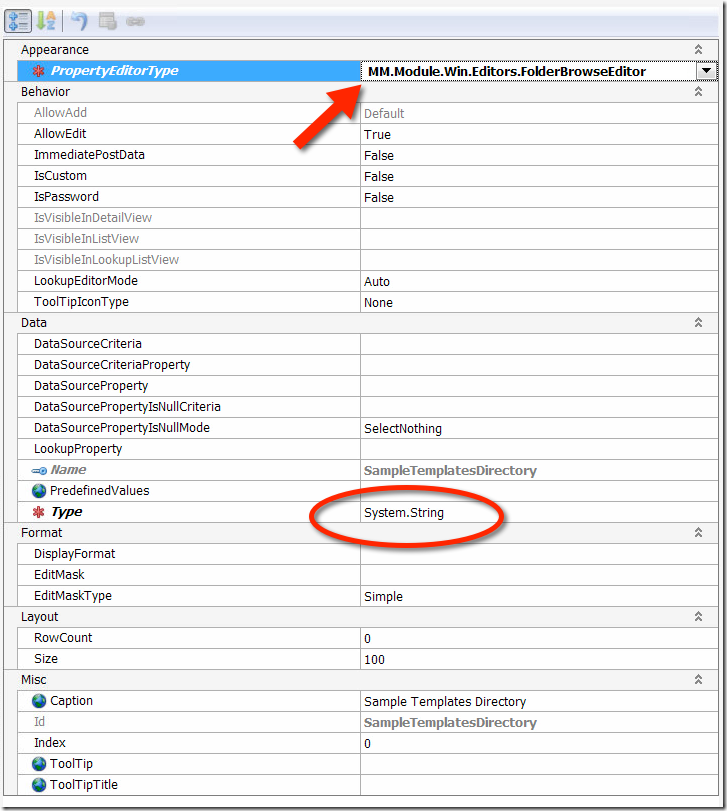
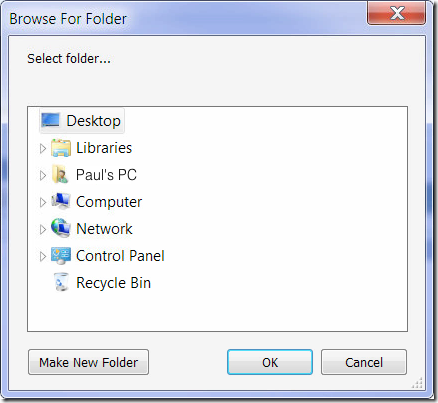
Build your project, and then inside the model you will be able to choose YourProject.Module.Win.Editors.FolderBrowserEditor as a property type. Run your application and you will see a nice XtraEditors.ButtonEdit control rendered with a […] button, clicking on the button will present you with a standard OS folder browser, if you select a folder, the result will be returned to the control and your data updated !
 |
 |